
Jump to a section (13)
- 01The quick answer: match your model and watering plan
- 02A quick history of Rain Bird
- 03The models you’ll actually find on a Southwest Florida wall
- 04An honest review
- 05How to run it by hand, model by model
- 06When OFF is appropriate, and the start-time check
- 07Watering rules: a hand run counts the same as a scheduled one
- 08Want it to run itself? The optional schedule
- 09Running it from your phone
- 10Watering habits that keep pests out of your turf
- 11When the sprinklers won’t run
- 12Frequently asked questions
- 13Help with your lawn plan
If you rent a house or bought new construction anywhere from Bradenton down to Punta Gorda, there’s a good chance the beige box in your garage says Rain Bird on the front. Rain Bird dial timers show up on more Southwest Florida walls than any other brand, and they’re the easiest of the big names to run without a manual open in your lap. I’m Adam, founder and lead tech at Waves. This guide covers controller settings; your watering plan still needs to account for the landscape and current local restrictions.
Our sandy soil drains fast, and our summer afternoons bring storms you could set a clock by. So the goal is small. Water on the day or days in your plan and current local schedule, using the minutes your lawn needs. Use OFF between runs only when every zone is manual; keep AUTO when other zones need their schedules. If you’re already a Sarasota lawn care customer, you get those minutes from us; this guide just shows you how to punch them in. Want us to build the plan and keep the turf healthy? Request a Lawn Care Quote.
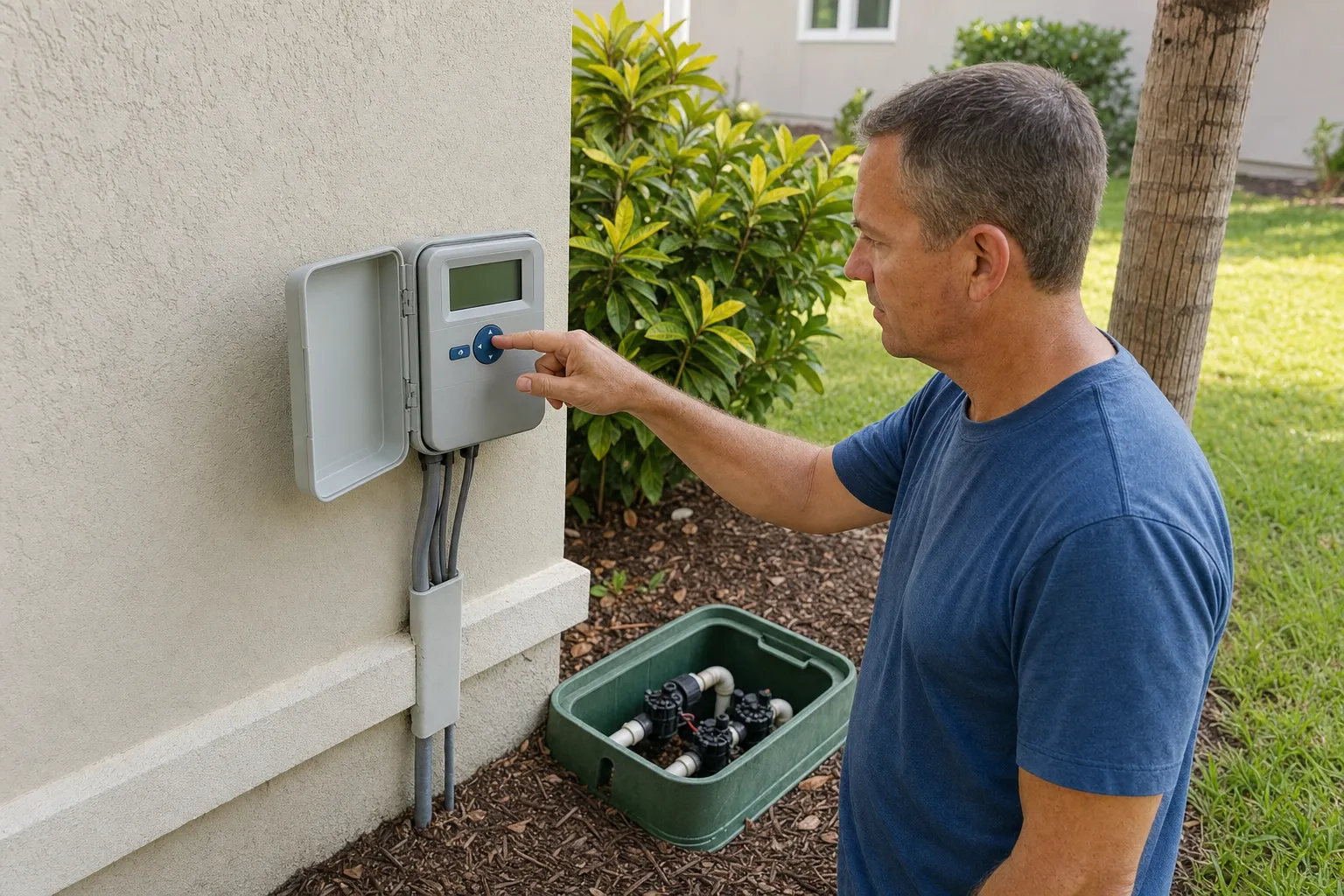
Here’s the short version. Rain Bird’s dial controllers, the ESP-TM2 and the ESP-Me family, are the most common timers on local homes and the simplest to run by hand. For most people that’s all you need. Use your plan’s minutes on the days your current local schedule permits. Leave the dial OFF between runs only if the entire controller is intended for manual operation; keep AUTO when other zones need their schedules.
The quick answer: match your model and watering plan
The model name is printed right on the faceplate, usually across the front or just inside the door. You’re looking for something like ESP-TM2, ESP-Me3, ESP-RZXe or SST. That name tells you which manual to pull.
A quick history of Rain Bird
Rain Bird traces its start to 1933, during what the company calls California’s agricultural boom, built around the horizontal action impact drive sprinkler that earned its first patent in 1935. Rain Bird’s company history credits inventor Orton Englehart with that original impact sprinkler, and the design later picked up a historic landmark nod from the American Society of Agricultural Engineers in 1990. Today the company is privately held and headquartered in Azusa, California, selling thousands of irrigation products in more than 130 countries. You can read the founding story on Rain Bird’s About page. Handy context, because parts and manuals for these controllers are everywhere.
The models you’ll actually find on a Southwest Florida wall
ESP-TM2. This is the builder-grade dial box bolted into most new construction. Flat faceplate, a rotating dial around the edge, a small screen, and plus and minus buttons. It handles up to 12 zones. If your house went up in the last several years in a place like Lakewood Ranch or Parrish, odds are good this is the one you’ve got.
ESP-Me and ESP-Me3. These look like the TM2’s bigger cousin: same dial-and-buttons layout, but they expand with plug-in modules up to 22 zones. The Me3 is the Wi-Fi-ready version, with an optional LNK module that adds phone control (sold separately). Good fit for larger yards or a system someone kept adding to.
ESP-RZXe. This one drops the dial for a flat button faceplate with an LCD. It has a dedicated manual-watering button. Since the buttons vary by model, I’d rather point you to the exact steps than guess: pull its manual from Rain Bird’s support center.
SST. The Simple-To-Set unit is the most basic of the bunch, a compact push-button timer for small, tidy systems. You store each zone’s minutes and start a manual run from the buttons. Again, check its own manual at the support center for the button names rather than trusting memory.
An honest review
The pros are real. Dial programming on the TM2 and Me is about the simplest of the major brands. Single-station and whole-program manual watering use different controls. Seasonal Adjust is one knob. And because these boxes are everywhere, replacement parts and manuals are a quick search away.
Now the cons. Each program on the TM2 holds up to four start-time slots, and a builder or a previous owner may have left a couple of them armed, which is how a system quietly waters two or three times in one morning. OFF is the only setting that guarantees nothing fires on its own. The Wi-Fi module is an extra box you buy separately. And the little SST gives you no per-zone flexibility beyond its buttons.
| What you get | ESP-TM2 | ESP-Me / Me3 | ESP-RZXe | SST |
|---|---|---|---|---|
| Interface | Dial and buttons | Dial and buttons | Buttons, no dial | Buttons, simple |
| Max zones | Up to 12 | Up to 22 with modules | Check your model | A few, fixed |
| Manual run | MANUAL STATION for one zone; AUTO RUN for a program | Manual Watering for one zone; AUTO for a program | Manual watering button | Manual start, see manual |
| Wi-Fi option | LNK module, sold separately | LNK / LNK2 module, sold separately | Check your model | No |
| Best for | Builder-grade new construction | Bigger or expanding systems | Small, tidy installs | The simplest setups |
Attributes per Rain Bird's published ESP-TM2 and ESP-ME3 user manuals and product support pages. No pricing shown.
How to run it by hand, model by model
This is the part that matters, so let’s keep it tight. The steps below follow the ESP-TM2 user manual and the ESP-ME3 user manual.
ESP-TM2 manual watering. Choose the flow that matches what you want to water.
- For one zone, select MANUAL STATION and press the right arrow to show the station-selection screen. Choose the station with the arrow buttons, and set its minutes with minus or plus. Hold the right arrow to start that station.
- For a whole program, first confirm that its stored RUN TIMES match your plan. Return the dial to AUTO RUN, choose A, B or C with Program Select, then hold the right arrow to start that program. Its stations use their saved minutes.
- Let watering finish before selecting OFF; OFF cancels watering. Keep AUTO RUN afterward if other zones need their automatic schedules.
ESP-ME3. A single station and a whole program also have separate starting points.
- For one zone, choose Manual Watering, select the station, set its minutes, and press Hold to Start. After STARTED appears, return to AUTO. Repeat to queue another station if needed.
- For a whole program, confirm its saved station minutes, select AUTO, choose the program with Program Select, and press Hold to Start. Test All Stations is a separate test using one test duration, not your saved per-zone plan.
- Wait until the run finishes. Select OFF afterward only if all zones are being operated manually; otherwise keep AUTO.
Older ESP-Me models. Use the manual matching the exact faceplate in Rain Bird’s support center; do not assume an ME3 button sequence matches every earlier Me controller.
RZXe and SST. The RZXe has a manual-watering button and the SST starts from its buttons. Since those layouts differ, follow their own manuals from the Rain Bird support center linked above.
Got a mixed yard, grass on some zones and beds or drip on others? Store each zone’s minutes once under RUN TIMES. To hand-water only the turf without cutting off the rest of the landscape, use the manual position to start just the grass zones one at a time, leave any programmed schedules for the bed and drip zones intact, and return the dial to AUTO so those non-lawn schedules keep running. Only reach for OFF if you truly want nothing to water, and remember that OFF disables every zone, including beds and drip. If beds and drip don’t need a schedule, hand-run them too and keep the dial on OFF between runs.
When OFF is appropriate, and the start-time check
With the dial on OFF, nothing waters. Rain Bird’s own manual is blunt about it: leave the box in OFF and no program runs. That’s your resting state between permitted runs, and it’s the reason a builder’s leftover schedule can’t surprise you at two in the morning. If any non-lawn zones need their own schedule, leave the dial on AUTO instead and clear only the start times you don’t want.
For a controller you intend to operate entirely by hand, do this before the first manual run. Turn the dial to START TIMES, use Program Select to step through programs A, B and C, and set every start-time slot to OFF. The TM2 gives you four slots per program, so check all four in each program. With no start times armed, the dial can sit on AUTO RUN during a manual run and nothing kicks off on its own. Me3 owners get six start times per program across programs A through D, so step into each program and clear all six slots in every one; checking only six total leaves start times armed in the other programs. If beds or drip irrigation must keep an automatic schedule, do not perform this all-program cleanup. Preserve those programs and their start times, clear only unwanted starts in the separate lawn program, and return to AUTO. If lawn and non-lawn zones share a program, consult the model manual or an irrigation contractor before changing it.
Pro tip: snap a photo of your controller’s faceplate and your zone layout before you change anything. If you ever want to undo a setting, or hand the details to a contractor, you’ll be glad you have it.
Watering rules: a hand run counts the same as a scheduled one
Your sprinklers don’t know whether you pressed the button or the clock did. A run you start by hand counts exactly like a programmed one, so run your cycle only on your assigned day or days and inside your county’s allowed hours. How often you run depends on your plan and your address. Some Manatee County addresses, including parts of Bradenton, Lakewood Ranch, Palmetto and Parrish, are assigned two watering days per week, while other areas allow just one; Sarasota and Charlotte have their own schedules. Those rules come from your county and from the current water-shortage order, and they change. Check your county’s page and your watering plan before you assume last year’s cadence still holds, and follow the number of days your actual plan and current local schedule call for rather than a fixed once-a-week habit. The weekly watering plan Waves lawn customers receive lists the minutes per zone, the days to run, and whether to skip when the rain has already done the job. If we’re scheduled to treat, glance at our lawn prep checklist so the yard’s ready.
Check the rules for your municipality before applying fertilizer. North Port’s restriction starts earlier than the county summer window: nitrogen or phosphorus fertilizer must not be applied to turf from April 1 through September 30. See the City of North Port’s fertilizer ordinance guidance. For Manatee County, see our summer fertilizer guide; use the rules for your actual jurisdiction.

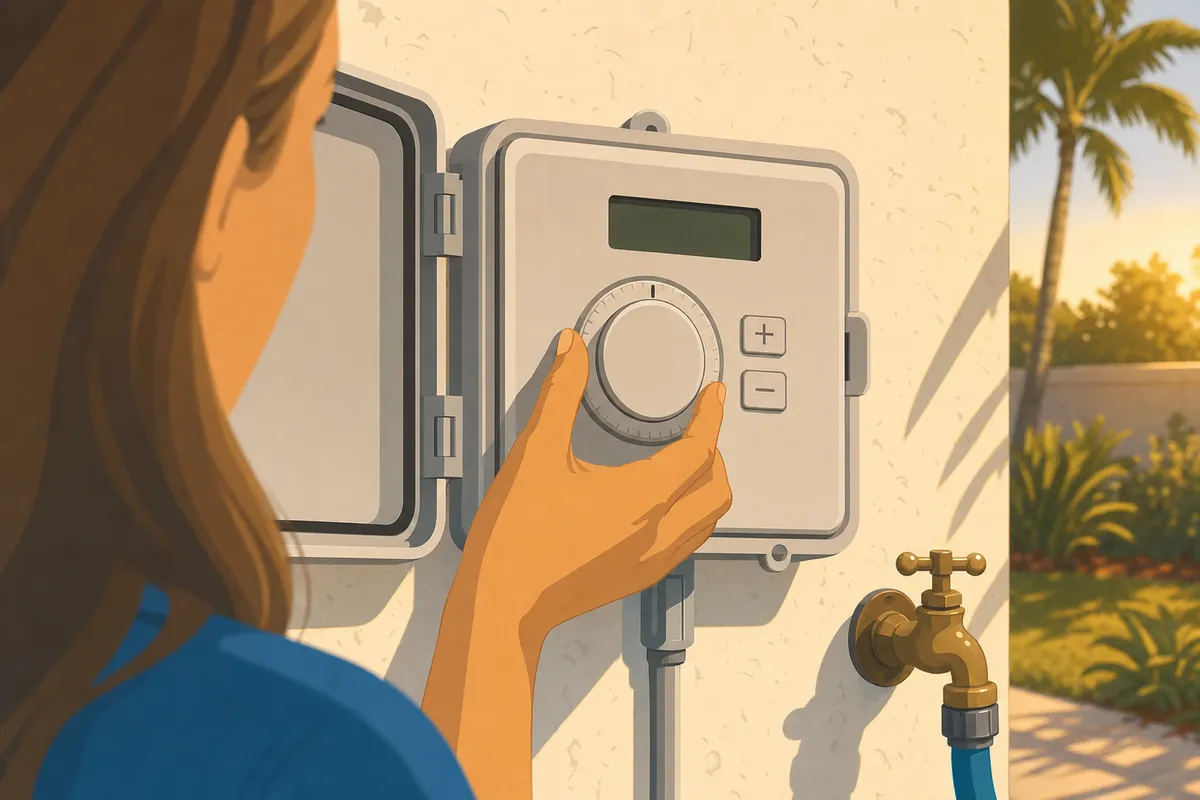
The illustration shows controller operation, not a recommended watering time. Use permitted early-morning hours for actual watering.
Want it to run itself? The optional schedule
If you travel and want the box to run on its own, program one clean schedule and stop there. Set DATE/TIME first, and double-check AM versus PM, because a start time set to PM is how sprinklers end up running at noon. Use one program (A), give it a single start time inside your allowed hours, and set the other slots to OFF. Set RUN TIMES per zone to your plan’s minutes, set RUN DAYS to your assigned days only, then turn the dial to AUTO RUN.
For a rain delay, keep the dial on AUTO RUN, hold the plus button, and set the days remaining, up to 14. That’s the move when a tropical system parks over us for a week.
Leave Seasonal Adjust at 100%. It’s a percentage that scales every run time you’ve entered, so if you nudge it to 50% once and forget, every future run is quietly cut in half. When you’re already following exact minutes, 100% keeps them honest.
The SENSOR position (Weather Sensors on the Me3) tells the box to obey or ignore a wired rain sensor. Leave it obeying. One caveat straight from the manual: a run you start by hand ignores the sensor, so don’t hand-water right after a downpour and expect the sensor to stop you.
Running it from your phone
Rain Bird’s LNK2 Wi-Fi module, sold separately, adds phone control. Rain Bird’s LNK2 WiFi Module User Guide lists it for the ESP-TM2, ESP-Me3, ESP-Me and ESP-RZXe made after November 2, 2016 that show the “LNK Ready” Wi-Fi symbol on the front panel. Rain Bird updates its apps, and the app that works with one controller may not work with another, so use Rain Bird’s Wi-Fi support site for the current app, the setup steps and any module trouble.
Your watering rules stay the same. A run started from the app counts the same as any other run. For each run your plan asks for, start each grass zone from the app and run it for the plan’s minutes. When the plan gives a full cycle by events instead of minutes, follow the plan’s own wording. Check for recent rain before each run, and leave bed and drip zones out of the lawn run.
On the dial models (ESP-TM2, ESP-Me, ESP-Me3), keep the dial on AUTO while you use the app, because Rain Bird’s manuals say nothing waters with the dial on OFF. Clear the grass program’s start times first, as the start-time check above describes, and keep any bed or drip program’s start times. The ESP-RZXe has buttons where the others have a dial, so RZXe owners should check its manual from the Rain Bird support center for the setting the app needs.
When you follow exact minutes, turn off automatic seasonal adjustment in the app, leave the adjustment at its no-change setting, and confirm the app shows the plan’s minutes before each run. A delay set in the app can pause beds and drip along with the lawn, so in a mixed yard skip only the lawn run.
Waves doesn’t install, set up Wi-Fi on, configure or repair irrigation controllers. Module or app trouble goes to Rain Bird’s support, and hardware trouble goes to an irrigation contractor.
Watering habits that keep pests out of your turf
Watering isn’t just a lawn-health question in our climate; it’s pest control. Overwatering and extended leaf wetness can favor turf disease. Southern chinch bugs are a separate concern, often associated with hot, sunny, dry areas. A few practices keep your minutes from turning into a pest problem:
- Water in the early morning, not the evening. Watering before dawn lets blades dry as the sun comes up. Evening or overnight watering leaves grass wet for hours, and that lingering moisture is exactly what fungus and the insects that follow it want.
- Water deeply and only on your assigned days, then stop. Short daily runs keep the surface constantly damp and shallow-rooted, which can favor disease. Longer runs on fewer days push roots down and let the top dry between waterings.
- Fix soggy low spots and broken heads fast. A cracked head that floods one corner creates a permanently wet patch where mosquitoes breed and fungus spreads. Standing water and chronically soggy St. Augustine in our humidity invite that trouble, which is the whole reason your minutes matter.
- Skip a lawn run when rain has met its needs. Use OFF or a controller-wide rain delay only if all zones should pause. Otherwise skip the lawn run while preserving schedules for zones that still need water.
- Watch for early signs. Yellowing patches that spread, chewed or thinning blades, or moths flushing up when you walk the lawn can all trace back to watering. If you spot them, don’t just add water.
If you’re not sure whether you’re giving too much or too little, our breakdown of overwatering versus underwatering walks through the signs.
When the sprinklers won’t run
Here’s the honest boundary. Waves builds your watering plan and tells you what to water and when. We don’t repair irrigation. If a zone won’t come on, a head is cracked and spraying the fence, or the box throws a fault you can’t clear with a reset, that’s a job for an irrigation contractor.
A few things you can check yourself first. Confirm the box has power. Make sure the dial isn’t sitting on OFF. Look for a flashing sensor icon that might be holding watering back. What not to do: don’t keep forcing manual runs on a zone that refuses to fire, and don’t crank every other zone to the max to make up for one dead head. Chronically soggy St. Augustine in our humidity invites fungus and the pests that trail behind it, which is the whole reason your minutes matter.
Frequently asked questions
Where do I find my Rain Bird’s model number?
It’s printed on the faceplate, usually across the front or just inside the door. Look for something like ESP-TM2, ESP-Me3 or RZXe. That name tells you which manual to pull from Rain Bird’s support center.
Does turning the dial to OFF erase my programs?
No. OFF just stops watering. Your start times, run times and days stay in memory. The only thing that wipes them is a factory-defaults reset, which is a separate, deliberate step. Keep in mind OFF disables every zone, so if beds or drip need their own schedule, leave the dial on AUTO instead.
Why did my sprinklers run at noon?
Almost always an AM/PM mix-up on a start time. A 12:00 start set to PM fires in the middle of the day instead of overnight. Turn the dial to START TIMES and confirm the AM or PM on each one.
Can I run just one zone?
Yes. On the TM2, MANUAL STATION lets you pick a single zone; on the Me family, Manual Watering does the same. Set the minutes, press and hold the start button (Hold to Start on the Me), and only that zone runs.
What does Seasonal Adjust actually do?
It scales every run time you’ve programmed by a percentage, from 5% up to 200%, and it keeps applying until you change it. If you’re following exact minutes from a plan, leave it at 100%.
Do I need the Wi-Fi module?
No. The module is sold separately and only adds phone control and weather-based tweaks. Everything in this guide works from the dial by hand. If you’re weighing it, check current pricing before you buy. For phone control, see the Running it from your phone section above.
Help with your lawn plan
For help with a lawn-care plan, Get a Lawn Care Estimate.